

Get Our Mobile App

Replace Me

This is a textual representation that would be effectively utilized in a diverse range of contexts. The content that is presented herewith may serve as a prime example of the kind of text that can be employed for various purposes. 

This is paragraph text. Click it or hit the Manage Text button to change the font, color, size, format, and more. To set up site-wide paragraph and title styles, go to Site Theme.
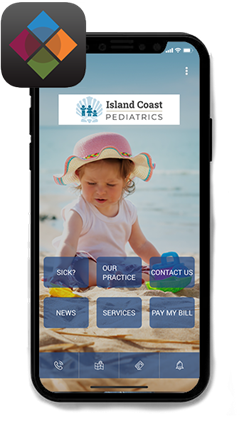

Now you can connect with Island Coast Pediatrics anywhere, anytime with our new mobile app!

Downloading our mobile app is free and easy. Just follow the simple steps below and you're on your way. You will have access to specific medical content, emergency information, and contact numbers anywhere and anytime you and your family need them. Use the button below to enter the app store specific to your phone type (iPhone = Apple, Android = Google)


  1. Search for the app called "Your Practice"
  2. Download the "Your Practice" app to your smartphone
  3. Open the "Your Practice" app and search for the words "Island Coast"
  4. Choose "Island Coast Pediatrics"
  5. Our app content will then download to your smartphone.


Anytime you need to connect to us, just click on the "Your Practice" app. You can refresh or reload the app by using the menu at the upper right.

Pediatric clinic app home screen on a phone, with a child photo and blue navigation buttons
Black-and-white QR code on a white background

Android

Black-and-white QR code centered on a white background

Apple